
R3X Forge — File Tools That Never See Your Files
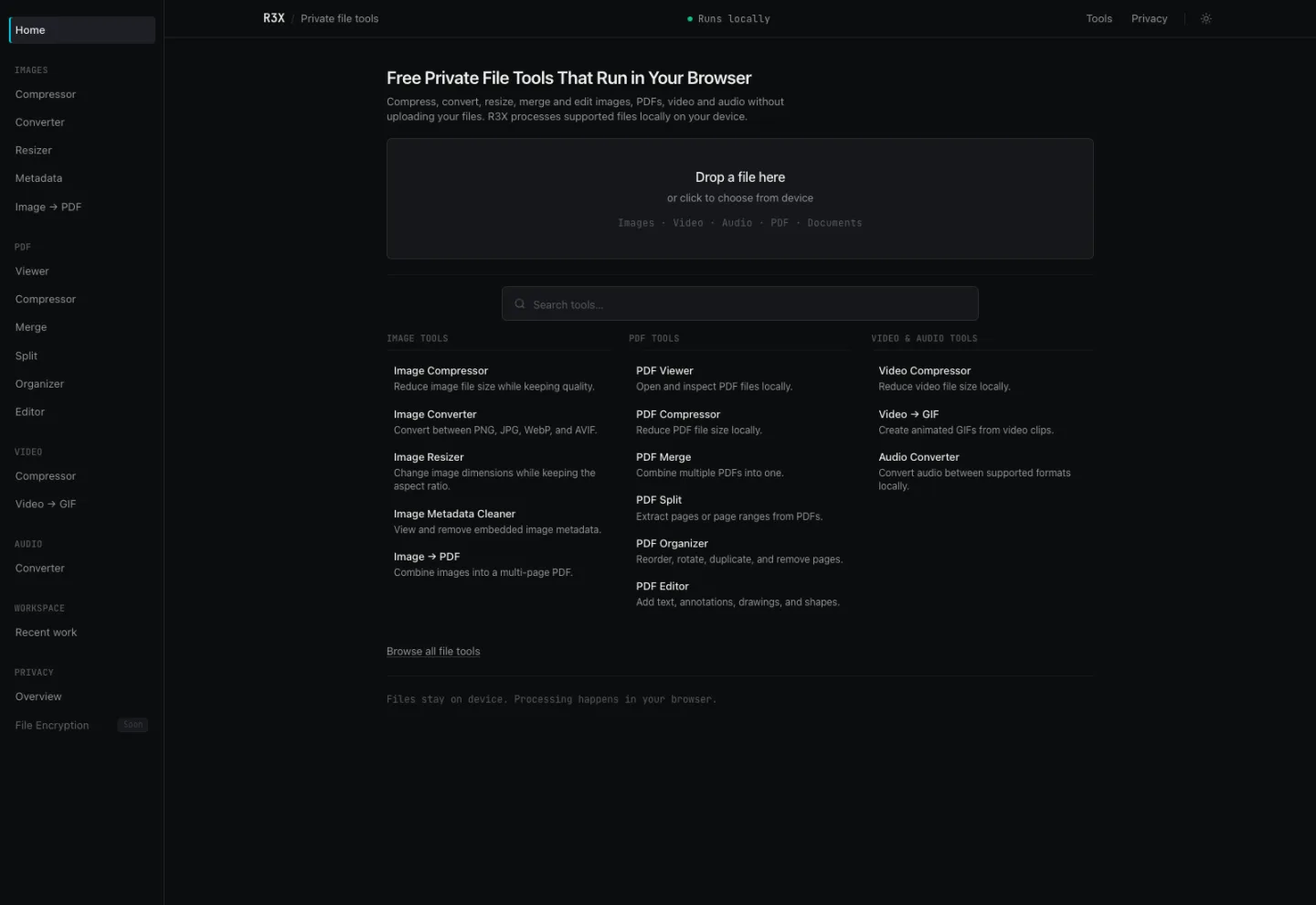
Compress, convert, merge and edit images, PDFs, video and audio entirely inside the browser tab. Fourteen tools, no upload, no account — the file never leaves the device.
Technologies Used
Screenshots
Project Overview
Every "compress a PDF" or "convert this image" site works the same way: you hand your file to a stranger's server, it comes back smaller, and you take it on faith that nothing was kept. For a holiday photo that is a fair trade. For a signed contract, a passport scan or an unreleased document, it is not.
Forge does the same jobs without the upload. Fourteen tools across images, PDFs, video and audio, all running inside the browser tab. The file never leaves the machine, which is not a promise about conduct — it is a property of where the code executes.
What it does
- Images — compress, convert between PNG, JPG, WebP and AVIF, resize, strip embedded metadata, and combine into a multi-page PDF
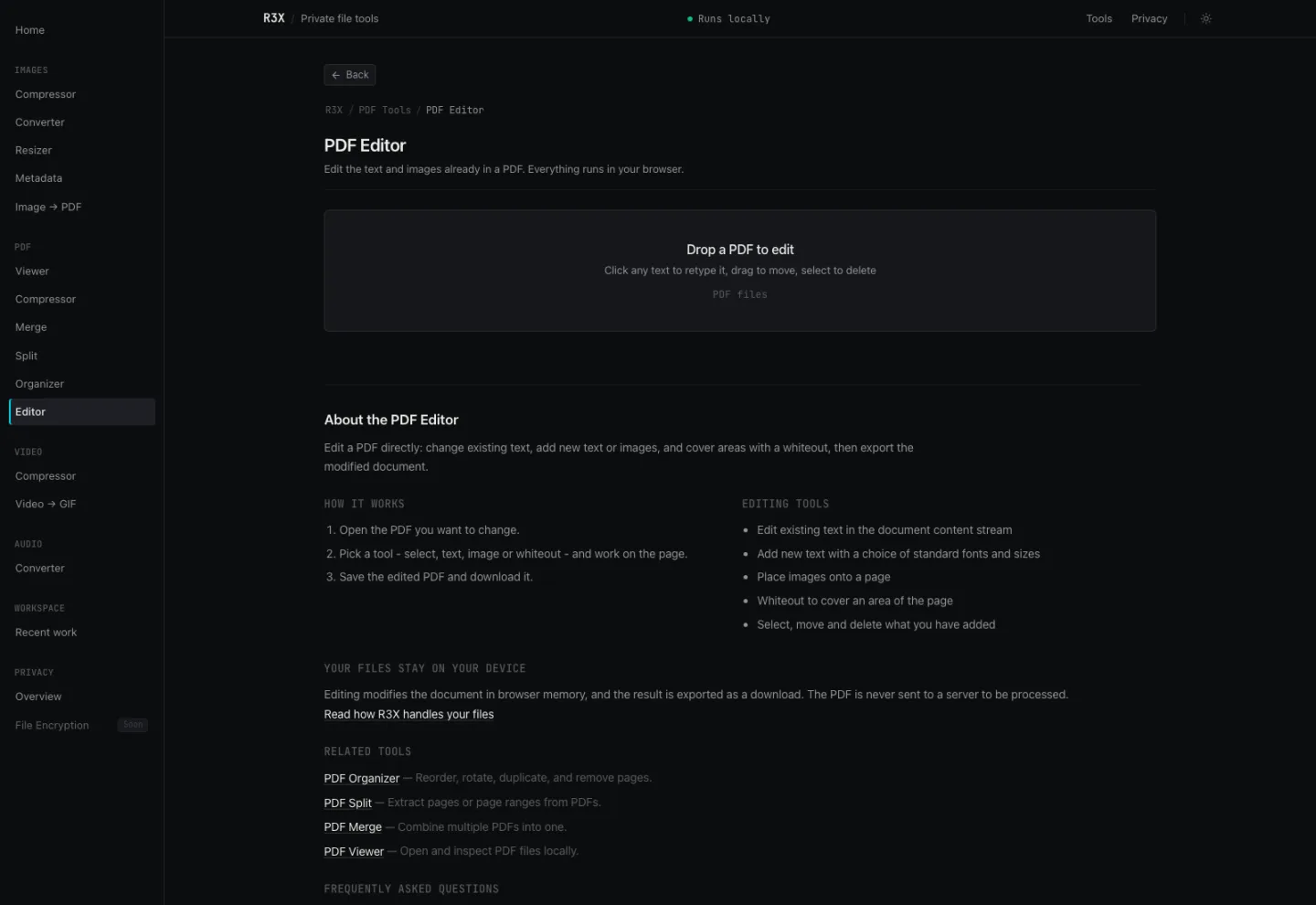
- PDFs — view, compress, merge, split, reorder pages, and a genuine editor that changes the text already in the document rather than pasting a box over it
- Video and audio — compress video, turn clips into GIFs, convert audio formats
- A workspace that remembers recent work between tools, so a file can move from one to the next without a round trip through your downloads folder
Architecture & Technical Implementation
Everything runs on browser primitives: Canvas 2D, Web Workers and WebAssembly. Computation happens on the local CPU and GPU, which is the entire reason the privacy claim is structural rather than a policy.
Files are held as in-memory Blob references. When a tool tab is closed or
cleared, those references are released with URL.revokeObjectURL() so the data
becomes eligible for garbage collection immediately rather than lingering for the
lifetime of the page.
The video and audio pipeline is the expensive part: roughly 32 MB of WebAssembly engine, fetched on first use and then cached by the browser. That cost is paid once, and it buys transcoding that would otherwise require a server with ffmpeg and somewhere to queue jobs.
The PDF editor is the piece that is harder than it looks. Most "PDF editors" draw a white rectangle over the old text and place new text on top; the original string is still in the file for anyone who opens it in a text editor. Forge edits the document content stream, so changing a word changes the document rather than covering it up.
Engineering Challenges & Solutions
"We don't upload your files" is unverifiable when a server is involved. Any site can say it. The only version a sceptical user can check is one where no upload happens at all — so the constraint drove the architecture rather than the other way round.
That constraint is expensive. Doing this in the browser means no server-side ffmpeg, no ImageMagick, no queue, no worker fleet: every codec and parser has to exist as WebAssembly and run inside a tab that also has to stay responsive. Heavy work goes to Web Workers so the interface does not freeze while a video transcodes.
The honest part is the caveat. The privacy page states plainly that this is not an offline app — the page still has to load over the network, and the media engine is downloaded on first use. Claiming "fully offline" would have been the easier marketing line and the false one.
What Was Learned
The interesting privacy work is in removing your own capabilities, not in writing a better policy. Once the file never reaches a server, there is no retention question, no breach surface, no subpoena to answer and no promise to keep — because there is nothing on the other end to keep it.
It also makes the claim testable, which matters more than the claim. Open DevTools, watch the Network tab, and process a file: nothing goes out. I measured a tool page myself on a cold profile — 20 requests, one domain, zero third-party. That is a verifiable statement, and it is worth more than any number of assurances.
You may also like
R3X Tools — Twenty Developer Utilities, No Accounts
Format JSON, decode a JWT, test a regex, read a cron expression, catch a webhook, mock an API. Twenty tools, most running entirely in the browser tab — no account, no ads, no tracking.
Web ApplicationsDropNote — Encrypted Notes That Delete Themselves
Write it, lock it, drop it. Notes encrypted in the browser with AES-256-GCM, shared by link, and destroyed on a schedule you set — the server never holds a key.
Web ApplicationsTinyLink — Short Links That Do the Whole Job
A URL shortener with real analytics, in-process QR codes, expiring and password-protected links, bio pages and a REST API — written in plain PHP with no build step.